Kristin Joivell, June 22, 2009

NOAA Teacher at Sea
Kristin Joivell
Onboard NOAA Ship Fairweather
June 15 – July 1, 2009 

Mission: Hydrographic Survey
Geographical area of cruise: Shumagin Islands, Alaska
Date: June 21-22, 2009

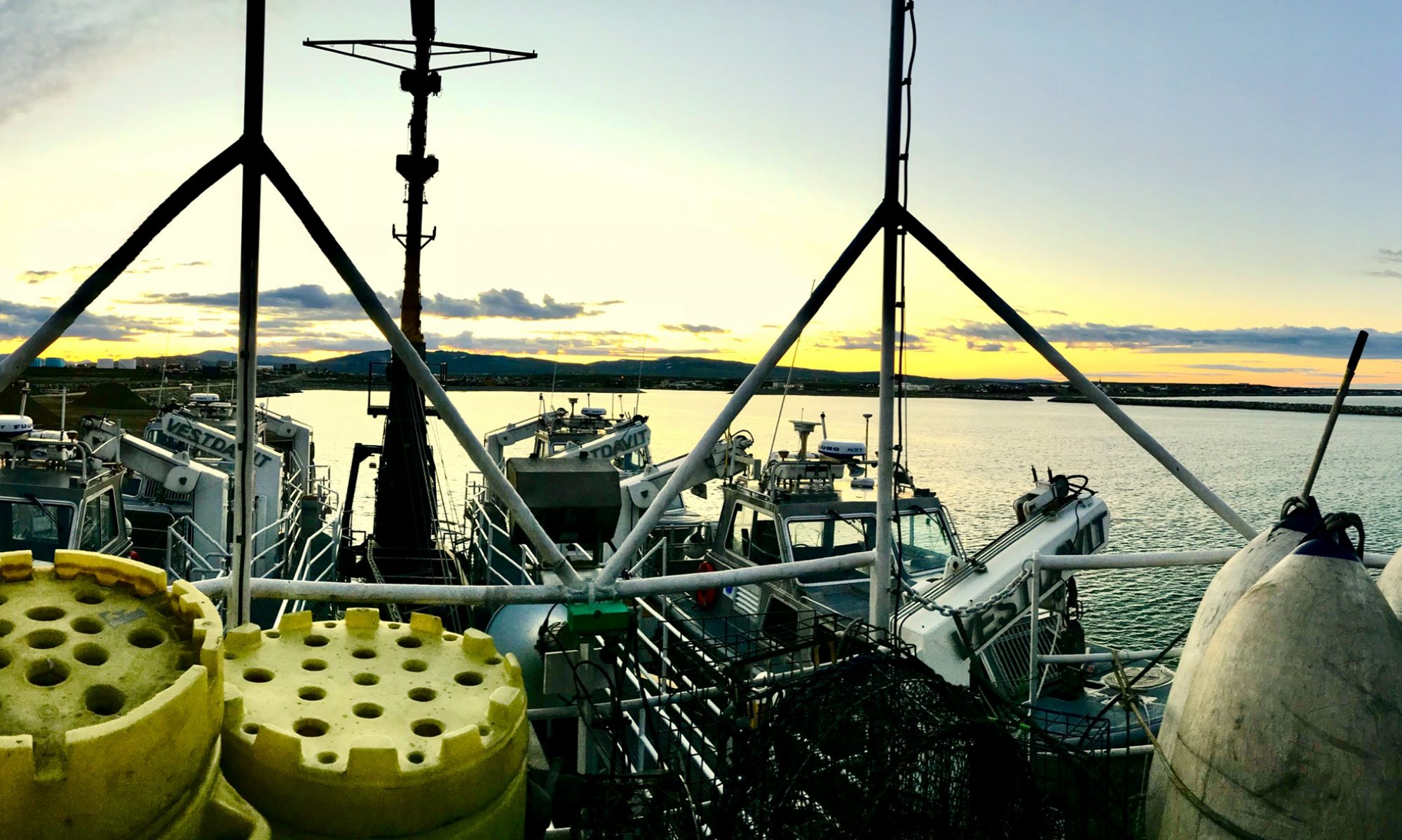
The Fairweatherrests at anchor in Northwest Harbor.

Weather Data from the Bridge   
Position: Northwest Harbor
Clouds: Mostly Clear
Visibility: 10+ miles
Wind: 13 knots
Waves: less than 1 foot
Temperature: 8.2 dry bulb
Temperature: 7.2 wet bulb
Barometer: 1007.0

Science and Technology Log 

Launches are excellent for collecting data near the shoreline, but the Fairweather is better at open water data collection. The polygons are larger, but the ship must still be traveling at approximately 6 knots for optimum results.  The ship also uses the multibeam to sweep the ocean floor, just like the launches.  Of course, multiple computer screens are again necessary to monitor data collection on the ship. Also similar to the launches and their CTD’s, the ship uses a device called a Moving Vessel Profile (MVP) that collects information about sound velocity as it is dropped through the water. It is commonly called the “fish” since it is dropped into the water and manipulated to “swim” at different depths for data collection.

Here I am dislplaying the MVP or “fish” that will be deployed periodically throughout data collection to measure sound velocity, temperature, and pressure of the water.

A definite advantage of the MVP is that the fish can be deployed while the ship is moving; however, the launch must be stopped to use the CTD.  Additionally, the MVP measures sound velocity directly where as the CTD collects data that must be plugged into a formula to calculate the measurement for sound velocity. Data collected from both the launches and the ship must be processed and converted.  Much of the data processing involves moving data uploaded from launches into networked folders.  At times while I watched data processing, there were too many folders open on multiple computer screens for me to personally keep track of.  Also, I noticed certain data sets being converted from one form to another.  Sometimes, the data conversion takes a long time so computers must be marked so nobody interrupts the conversion process.  Patience, computer literacy, and organization skills are a must for working on data processing!

In this picture I’m attempting to clean “dirty” data.  The screen on the left shows a 3D image of the ocean floor.  The screen on the right shows a 2D image of the ocean floor that is color coded based on depth. As you can see, dirty dishes also tend to collect when cleaning dirty data!
In this picture I’m attempting to clean “dirty” data. The screen on the left shows a 3D image of the ocean floor. The screen on the right shows a 2D image of the ocean floor that is color coded based on depth. As you can see, dirty dishes also tend to collect when cleaning dirty data!

Another part of working with data collected from the launches and the ship involves cleaning “dirty” data.  Even through the best efforts to collect data, pings are sometimes lost or interference occurs. Perhaps the speed of the vessel exceeded 6 knots or maybe there was a section of the water with an unusual density. So, a software program called Caris is used to work with the data on a dual screen computer. The ocean floor that is color coded by depth can be viewed on one screen. Then, the person working with the data selects small segments of the ocean floor to view on the other screen.  The plane of the ocean floor and all of the pings are shown in a variety of color scales. Data that is very accurate at a high confidence level can be shown in violet, but the lower the confidence level gets, the further up the spectrum the colors are shown.  Many people choose to show different lines of pings in different colors to make it easier to see how many times the same section of the ocean floor was swept.

The person working on the computer can choose to delete certain pings, especially if they were located at the far end of the multibeam.  These pings are more likely to be lost or misrepresent the depth. Additionally, a measurement can be taken on the screen with a ruler tool to determine if a group of pings are within specification limits.  If they are not, a segment of data can be designated for further investigation.  The person working on this must make many decisions, so it is important to be able to infer information from data as you work.

Personal Log 

Paddling my kayak in the ocean through Northwest Harbor in the Shumagin Islands

I went sea kayaking a few years ago in Mexico, but sea kayaking in Alaska is by far more dangerous. Even though the kayaks are paddled the same way and I could keep the boat balanced relatively easily, the danger of flipping over and freezing to death in the sea water is a constant thought. The beauty of the islands as I paddled near them was mesmerizing.  The Shumagin Islands look like something out of a prehistoric world.  I keep expecting to see a dinosaur walking up one of the rocky hillsides. I didn’t see any prehistoric creatures on the kayak, but I did see some puffins, a seal, and a wide variety of other seabirds too far away for identification.  Kelp was also floating around in abundance. I should mention that I was sea kayaking from about 8:30 to 11:00pm, but it was still daylight the whole time.  It is near the summer solstice, so daylight lasts for about 18 hours or so each day. Right now, the sun is rising at about 6:00am each morning and setting at about 11:30 each night. It is really unusual to be out on a sea kayak in bright daylight in the middle of the night!

Create Your Own NOAA Experiment at Home 
You can use simple items from your kitchen to see how cold the water in Alaska feels. You will need some ice water, a thermometer, and a bowl. First, put the ice in the bowl and pour the water over it. Next, place the thermometer in the bowl with the ice water.  Wait until the temperature goes down to about 45 degrees Fahrenheit.  Now, place your bare hand in the ice water. How does it feel? Try it with a glove on.  Do you feel a difference?  Remember, your body temperature is about 98 degrees Fahrenheit, so you are putting your hand into water that is about half your body temperature. Can you imagine how it would feel to fall into this water?

Kristin Joivell, June 20, 2009

NOAA Teacher at Sea
Kristin Joivell
Onboard NOAA Ship Fairweather
June 15 – July 1, 2009 

Mission: Hydrographic Survey
Geographical area of cruise: Shumagin Islands, Alaska
Date: June 18-20, 2009

The boom lowers the launch into the foggy morning air.
The boom lowers the launch into the foggy air.

Weather Data from the Bridge 
Position: Koniuji Strait
Clouds: foggy
Visibility:  less than 0.5 mile
Wind: 11 knots
Waves: 2 feet
Temperature: 8.6 dry bulb
Temperature: 8.0 wet bulb
Barometer: 1005.9

Science and Technology Log 

Launches are used to acquire data in areas where it doesn’t make sense for larger ships to go.  They are more maneuverable and their hulls don’t extend as far into the ocean.  Small crews can travel in the launches and work together to cover specific areas, commonly called polygons. This week, we are using the launches to survey the ocean floor in the Koniuji Strait area. Getting ready for the launch requires some preparation. Dressing for the weather is a must; so layers and layers of clothing are necessary, especially on foggy, chilly days.  Additionally, a float coat or life jacket vest and a hard hat are necessary for safety reasons. There are a lot of lines and cables moving around when a launch is being deployed and the safety equipment helps protect everyone involved.

I’m watching the computer screens as multibeam data is collected.  The screen on the right shows the depth coloration of the line being swept.
I’m watching the computer screens as multibeam data is collected. The screen on the right shows the depth coloration of the line being swept.

Launches use a device called the Multibeam Echo Sounder (MBES, or commonly called the multibeam) to collect data about the ocean floor.  The mulitbeam is a device that sends out sound waves.  The sound waves bounce off the ocean floor and then back to the launch. The sound waves are commonly called “pings.” It is necessary to watch a computer screen to ensure that the pings are being collected to the fullest capacity. Sometimes adjustments must be made because pings are being lost or there is too much interference, or noise, in the data acquired. Another computer screen that must be watched shows the depth of the ocean floor being surveyed.  Depths are color coded throughout the spectrum with reds being shallow and violets being deep. Watching the depth coloration helps to predict when ocean floor features may be changing from deep to shallow and vice versa.  It is also possible to infer where ocean floor features like hills and valleys may be located.

Here, I prepare to cast the CTD in order to get a reading for conductivity, temperature, and density.

Other computer screens show different views and aspects of the data being collected from the multibeam.  These screens help to troubleshoot problem areas and make decisions about data being gathered. In fact, there are four computer screens to watch while using the multibeam!  Multitasking is a necessity when you are the person in charge of the computer screens. Multibeams collect data from the ocean floor in wide sweeps so that no area is missed or skipped over. Overlaps are also built in to help prevent missed areas.  Sometimes an area is missed; these areas are called “holidays.”  It is sometimes necessary to resweep an area to fill in these holidays.  The driver of the boat helps to keep the boat on the line being swept.  Additionally, the driver helps to keep the boat traveling at approximately 6 knots so that data can be collected at the appropriate speed. This job is more difficult than it looks especially in a thick fog.

The use of the CTD device is necessary when collecting data from the launches.  CTD stands for conductivity, temperature, and density.  Since ocean water can vary in all of these depending on location, the CTD helps collect this information.  The information is then uploaded into the computer system on board the launch.  The sound velocity is determined using a formula containing these readings.  Then, the computer helps to correct for differences in the ocean water when using the multibeam.  A cast on the CTD is usually done every few hours.

Personal Log 

I attempt to work the line

Launches are great for acquiring data, but they require the assistance of many people to be used effectively. Plans must be made to create polygons to survey.  People must use the radio to retain communications with the bridge of the main ship.  Different people are responsible for working the lines, or ropes, that attach the launch to the ship.  People must be able to use the multibeam computer software and information for the CTD appropriately so that significant data is collected. Someone must drive the launch so that it follows the lines for the sweeps.  People from the engineering crew must maintenance the launches so that the engines work properly.

Each of these jobs requires certain training and experience to be completed in an effective way.  I attempted to work the line to attach the launch back to the ship.  It was difficult to keep the line untangled and throw it to the receiver in the correct location.  I also attempted to steer the launch along the line for a sweep, but found myself overcorrecting and going in circles much of the time. It amazes me how the launches involve such a wide variety of skills and knowledge.  With each task being accomplished, there are different problems that present themselves.  Knowing how to deal with those problems involves a certain kind of personality. Being flexible, knowledgeable, and able to think on your feet while still remaining calm seem to be very important skills when working at sea!

In this picture, you can see the NOAA ship traveling while using the multibeam.  The glowing material coming out of the ship represents the actual pings. The green area is the portion of the ocean floor that is being surveyed.  Picture provided courtesy of NOAA training materials.
In this picture, you can see the NOAA ship traveling while using the multibeam. The glowing material coming out of the ship represents the actual pings. The green area is the portion of the ocean floor that is being surveyed. Picture provided courtesy of NOAA training materials.

Create Your Own NOAA Experiment at Home 
You can simulate the way that the NOAA multibeam devices acquire data to help you get a better picture of how this complicated system works.  Using a paint roller, some paint, and a piece of cardboard, you can better envision the sweeps of the multibeam system.  First, draw a sketch of your cardboard on a piece of paper.  You can even add islands and land features to the cardboard to make it more complex.  Determine shapes of polygons that you will be sweeping; squares and rectangles work well in large spaces, but you may need to create some different shapes around your islands and land masses.  Lay out the cardboard on a flat surface.  Then, use the paint and roller to make wide sweeps on the cardboard.  You can even use different colors of paint for each line you sweep to keep your information more organized.  Since the paint and roller are simulating the path of the launch, try to keep your paint and roller going at the same speed (remember in a launch this would be around 6 knots).  Try not to create any holidays during your sweeps because you will need to go over those again.  The picture below may also help you to visualize how multibeam works.


Kristin Joivell, June 17, 2009

NOAA Teacher at Sea
Kristin Joivell
Onboard NOAA Ship Fairweather
June 15 – July 1, 2009 

Mission: Hydrographic Survey
Geographical area of cruise: Shumagin Islands, Alaska
Date: June 17, 2009

A launch is deployed in preparation for the day’s tasks.

Weather Data from the Bridge  
Position: Big Koniuji Island
Clouds: Light Drizzle
Visibility: 5 miles
Wind: 17 knots
Waves: 2 to 3 feet
Temperature: 8.0 dry bulb
Temperature: 7.1 wet bulb
Barometer: 993.4

Science and Technology Log 

Today I had the opportunity to travel to Herendeen Island in one of the launches.  The two main tasks that I worked on were placing a new benchmark and taking measurements from a tidal gauge.  Benchmarks and tidal gauges are used to help the surveying team vertically reference their survey data to the tidal datum.

The first task to accomplish after landing on the island was placing the new benchmark.  Benchmarks can be found in many places.  You might even walk near a benchmark everyday and not even be aware of it! The national geocaching website describes a benchmark as “a point whose position is known to a high degree of accuracy and is normally marked in some way.” On this website, you can also search for benchmarks in an area by typing in the zip code where you would like to search. I’ve seen benchmarks in my travels hiking and biking; one was even near an old fire tower.  Benchmarks can be very old, but today I helped to place one that was brand new! I think the most exciting part about placing the benchmark was the knowledge that it is a permanent fixture.  Years from now, I will be gone, but the benchmark I helped place on Herendeen Island will still be there!

Here I am drilling the hole to insert the Here I am pounding the benchmark into benchmark’s post.  Later this hole will be place.  Later, this benchmark will be filled with cement to preserve the integrity of surveyed and its exact location recorded the benchmark’s location. and added to the database.
Here I am drilling the hole to insert the Here I am pounding the benchmark into benchmark’s post. Later this hole will be place. Later, this benchmark will be filled with cement to preserve the integrity of surveyed and its exact location recorded the benchmark’s location. and added to the database.

The second task that I worked on today involved some very basic process skills of science:  observing, recording, and calculating data.  My task was to record the level of the ocean’s water using a tide staff. I watched the water for one minute over six minute intervals for three hours.  During that one minute, I recorded the high and low water levels displayed on the tide staff. Then, I calculated the average of those water levels to be used by the surveying team.  This important information helps the surveying team reference the measurements from the automatic tide gauge to the benchmarks we installed.

I reached an understanding of the importance of this type of data collection by thinking about a ship traveling through the ocean during high tide and then during low tide. The ship traveling at high tide might read 30 feet deep on their depth gauge, but the same ship traveling at low tide might read 20 feet deep on their depth gauge. If the ship’s hull is close to those depths, it may be in danger of scraping the bottom. Knowing the depth of the water at the lowest of the low tides is important for the safety of the ship traveling through the water.

Even though the tide staff had been placed some time ago, it was still embedded firmly in the rock.  However, the seaweed growing on the rocks near the base of the tide staff seemed to be getting in the way of the observations initially.  This required some cutting and trimming of the material to improve data accuracy.  I think this is a good real world example of reducing the number of variables in an experiment that can’t be overlooked.

Here I am collecting data from the tide staff on Herendeen Island. You can see the excess seaweed throughout the water and near the shore.  This factor proved to be a troublesome variable in the initial stages of data collection.
Here I am collecting data from the tide staff on Herendeen Island. You can see the excess seaweed throughout the water and near the shore. This factor proved to be a troublesome variable in the initial stages of data collection.

Personal Log 

Yesterday, I was part of a shore party in the small port town of Sand Point.  The ship needed to stop there for a personnel change and to pick up some mail from the post office. In my past travels, I saw some small fishing villages in Costa Rica, Venezuela, and Mexico, but here is a town in the United States whose existence revolves around fishing. The docks seemed to take up much of the area of the town. There were many boats docked there and the majority of which were fishing boats. I even got to see some boats coming back from the day’s fishing trip and begin to unload their catches. There were also people working on boats, nets, and general items associated with the fishing trade. Some boats looked like they were abandoned, but most looked as if they were used daily.  Living and working near the ocean must be an interesting life, especially in such an isolated place as Sand Point, Alaska.

Create Your Own NOAA Experiment at Home 
You can collect and record data using the same technique that NOAA scientists use for their tide staff data experiment.  Select an area in your backyard on which to make observations.  Perhaps a simple selection such as the growth rate of the grass would be appropriate for your first attempt at this experiment.  Next, decide on your observation times.  It’s a good idea to make your observations at the same time each day so that you can compare results and reduce variables.  Finally, you’ll need something to record your data, usually a pen and paper, but you could also take a photograph for data collection.  Record your data and try to make inferences and draw conclusions based on the data collected in your experiment.

Here I am posing near a boat on dry land in Sand Point.  It is interesting to note how much square area of the boat will be under water when launched; this helps illustrate the point of the importance of hydrography.
Here I am posing near a boat on dry land in Sand Point. It is interesting to note how much square area of the boat will be under water when launched; this helps illustrate the point of the importance of hydrography.

Kristin Joivell, June 16, 2009

NOAA Teacher at Sea
Kristin Joivell
Onboard NOAA Ship Fairweather
June 15 – July 1, 2009 

Left is my bunk card.  Notice the precise location or “muster” for each emergency.
Left is my bunk card. Notice the precise location or “muster” for each emergency.

Mission: Hydrographic Survey
Geographical area of cruise: Shumagin Islands, Alaska
Date: June 15-16, 2009

Weather Data from the Bridge   
Position: Woody Island Channel
Clouds: Partly Cloudy
Visibility: 10 miles
Wind: light
Waves: less than 1 foot
Temperature: 15.8 dry bulb
Temperature: 12.9 wet bulb
Barometer: 1012.6

Science and Technology Log 

From a teacher’s standpoint, the best thing about being on a ship is seeing the real world applications for all of the basic science process skills that I teach.  Skills like making accurate observations, collecting data precisely, and communicating clearly are second nature in a career with NOAA.

The Fairweather appears out of the fog.

One of the things that impressed upon me as we left the port at Kodiak and began the journey to the Shumagin Islands was the need for each person on board to know just what to do at the necessary time.  The need to be in the “right place” at the “right time” is shown again and again.  For example, each person has a bunk card that describes where to be when different types of alarms sound.  When one of the three alarms sounds, each person on the ship has a specific job and place to report. Whether it is an abandon ship, man overboard, or fire alarm, each person must be in their place to be accounted for and to do their job to help regain control of the situation. For someone still learning where all of the decks are located, this was a small challenge!

Here I am reading the temperature for the Weather Log.  There are two thermometers:  wet bulb and dry bulb.  The readings on both of these thermometers are read to help determine weather patterns, specifically relative humidity.
Here I am reading the temperature for the Weather Log. There are two thermometers: wet bulb and dry bulb. The readings on both of these thermometers are read to help determine weather patterns, specifically relative humidity.

Another point that stood out to me was the importance of accurate observations.  I often try to impress upon my students the importance of making observations in a precise scientific manner, but here on the ship I noticed real world applications of this skill in action especially on the bridge. Everywhere on the ship, but especially on the bridge, accuracy of observations is a must.  Weather is checked every hour. This weather is periodically sent into a weather service.  Accurate observations are necessary so that weather can be predicated and charted and the necessary changes can be made in plans for missions and travel.

Also, the ship’s course is charted on a map.  Although computers are used for much of the navigation, the location on a paper map is charted as well. In fact, the whole goal of the mission is to attain more accurate charts of the ocean floor.  The NOAA film, ‘The Surveyors,’ discusses the historical roots of hydrographic surveying.  The film promotes the idea that NOAA was formed since so many ships were being lost at sea.  As I watched the film, I realized the just how NOAA is an essential part of the battle against lost ships.  After beginning my surveying training on the computer, I found out that 95% of all US foreign trade enters or leaves by ship. To make the job even more complicated, surveying the ocean floor is an ongoing task since changes occur in the ocean floor constantly. Thinking about this made me look forward to the surveying work in the Shumagins even more since the data collected by NOAA could save someone’s life.

Personal Log 

Here I locate the Fairweather’s position on a map.  The location of the ship is determined using triangulation and simple geometry.
Here I locate the Fairweather’s position on a map. The location of the ship is determined using triangulation and simple geometry.

Yesterday, while still in port at Kodiak, I went on a hike to the top of Barometer Hill.  I think the name “Hill” is misleading since at the summit it is approximately 2500 feet above ground level. As I looked up at the mountain, I was in awe of its height and the purity of the surrounding terrain. Most of the hikes I’ve been on show signs of civilization throughout the hike, from garbage to power lines over the trail, but not here in Alaska!

I was not to be disappointed.  About halfway up to the summit, a brown bear approached our group.  Another hiker and I were nearing the top of a rise.  Upon glancing behind, we noticed a bear peeking out from below the rise we had just climbed. We made some noises and it went down the mountain, leaving tracks in the snow patches.  We were able to watch its progress down the mountain and through the brush at the base…the brush we had just walked through to get to the trail!


Here is Barometer Hill from the base of the mountain.  Note the total absence of human impacts such as billboards, structures, and especially power lines.  Hiking up the mountain there were a few scraps of paper, but not much trash at all compared to my experiences hiking in Pennsylvania.
Here is Barometer Hill from the base of the mountain. Note the total absence of human impacts such as billboards, structures, and especially power lines. Hiking up the mountain there were a few scraps of paper, but not much trash at all compared to my experiences hiking in Pennsylvania.
The brown bear going down Barometer Hill. It covered the distance quite quickly and made it to the base of the mountain in about 10 minutes, much quicker than my hiking speed.  Photo courtesy of David Francksen.
The brown bear going down Barometer Hill. It covered the distance quite quickly and made it to the base of the mountain in about 10 minutes, much quicker than my hiking speed. Photo courtesy of David Francksen.

As we continued hiking to the top, much of the terrain was steep, treacherous, and rocky, but the views at the summit were extraordinary and gave a 360 degree vantage point of the surrounding land and water. Looking around at the surrounding geography, I was able to see just how special Alaska is from a naturalist’s standpoint.

The view from the top of Barometer Hill.  The wilderness keeps extending in the distance.
The view from the top of Barometer Hill. The wilderness keeps extending in the distance.

Create Your Own NOAA Experiment at Home 
You can collect weather data using the same tool used on the bridge of the Fairweather. Create a wet and dry thermometer system by wrapping the bulb of one thermometer in wet paper towels and keeping one thermometer uncovered.  Compare the temperatures over a period of time and make a line graph.  What trends do you see on the graph?  Which temperature tends to be lower? What can you infer from this about the way your body feels when you’re in wet clothes compared to the way your body feels when you’re in dry clothes?

After further investigating the wet bulb and dry bulb temperatures here on the ship, I found that the book National Weather Service Observing Handbook No. 1 printed by NOAA in 2004 gave me a better understanding of how this all fits together scientifically by stating, “The wet bulb thermometer works on the principle that water evaporating from the muslin wicking [paper towel] absorbs heat from the thermometer bulb and mercury.  When the air is dry, containing little moisture, evaporation will be rapid.  If the air is very moist, evaporation from the muslin [paper towel] will be slight.” (p. S-93).  To me this makes sense since evaporation, biologically as precipitation, helps to cool your body.  The graph below provides a more in depth look into the connection between dry bulb temperatures, wet bulb temperatures, and relative humidity.

On this graph, you can see how the relative humidity percentage gets higher as dry and wet bulb temperatures get closer together.  The inverse is true as well; the relative humidity gets lower as dry and wet bulb temperatures get further apart.  Psychrometric chart provided courtesy of Richard Brennan.
On this graph, you can see how the relative humidity percentage gets higher as dry and wet bulb temperatures get closer together. The inverse is true as well; the relative humidity gets lower as dry and wet bulb temperatures get further apart. Psychrometric chart provided courtesy of Richard Brennan.