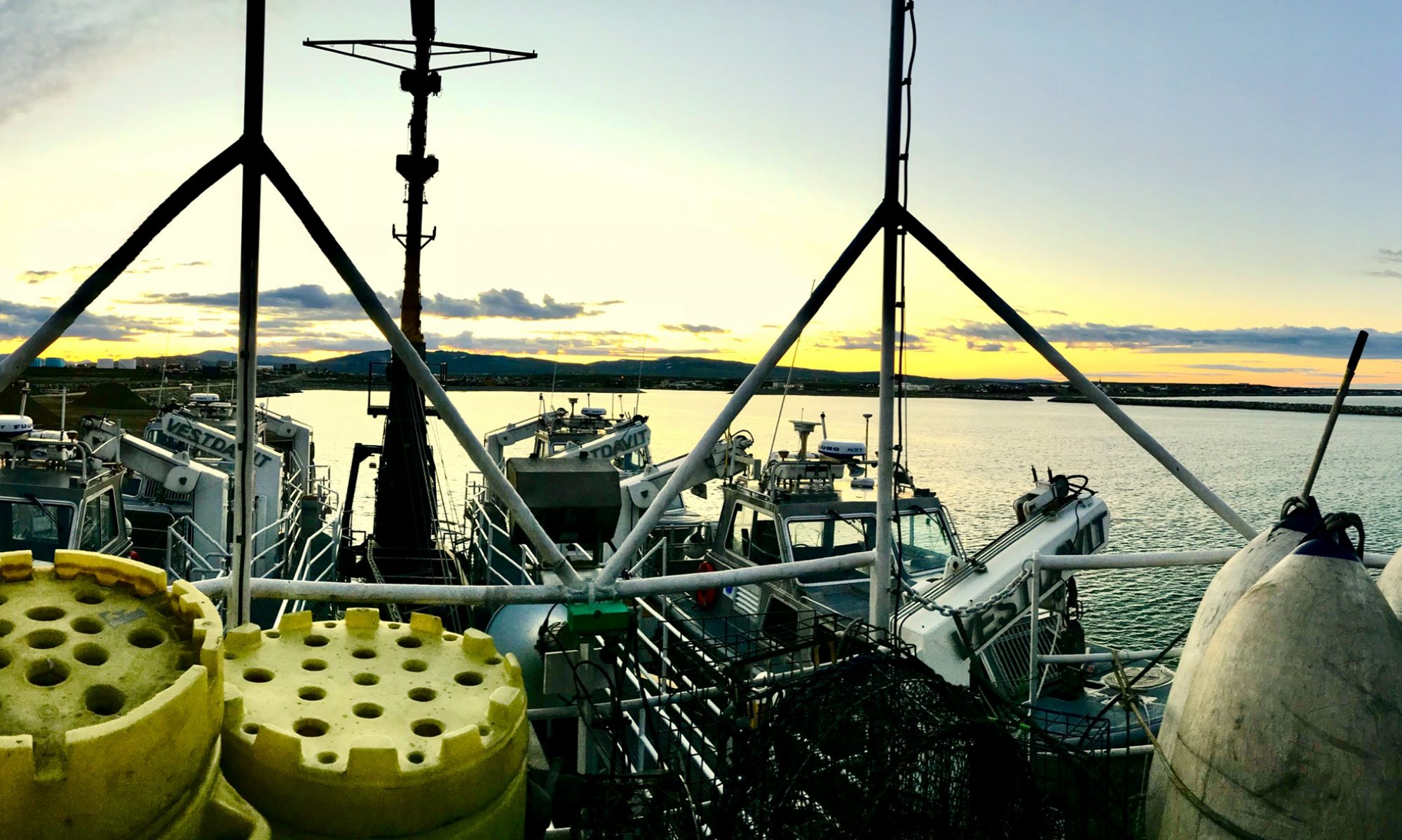
Denise Harrington: The Best Day Ever, April 30, 2014

NOAA Teacher at Sea
Denise Harrington
Aboard NOAA Ship Rainier
April 20 – May 3, 2014

Mission: Hydrographic Survey

Geographical Area of Cruise: North Coast Kodiak Island

Date:  April 30, 2014, 11:44 a.m.

Location: 58o  03.175’ N  127o 153.27.44’ W

Weather from the Bridge: 6.3o C (dry bulb), Wind 5 knots @ 250o, clear, 1-2′ swell.

Our current location and weather can also be seen at NOAA Shiptracker: http://shiptracker.noaa.gov/Home/Map

Science and Technology Log

The last couple of days have been the best ever: beautiful weather, hard work, deep science. We acquired data along the continental shelf and found a cool sea floor canyon and then set benchmarks and tidal gauges.

In hydrography, we gather data in seven steps, by determining: our position on Earth, depth of water, sound speed, tides, attitude (what the boat is doing), imagery and features.  Step 1 is to determine where we are.

In this picture you can see a GOES satellite antenna and a GPS antenna that helps us determine our precise location.
In this picture you can see a GOES satellite antenna (square white one) that is used to transmit tide data ashore and a GPS antenna (the small white eggs shaped one) that provides the tide gauge with both position and UTC time. Photo by Barry Jackson
In this picture  Brandy Geiger, Senior Survey Technician, uses the GOES from various locations to determine the exact location of the tide gauge.
In this picture Brandy Geiger, Senior Survey Technician, uses GPS to record the positions of the benchmarks we have just set for the tide gauge. Photo by Barry Jackson
tide gauge install 023
Where we are happens to be the most beautiful place on earth. Photo by Barry Jackson


In Step 2, we determine the depth of the water below us.

Bathymetry is a cool word that means the study of how deep the water is.  Think “bath” water and metry “measure.”  When your mom tells you to get out of the tub, tell her to wait because you’re doing bathymetry.

As I explained in my first blog, we measure depth by sending out a swath of sound, or “pings,” and count how long it takes for the pings to return to the sonar, which sits beneath the ship or smaller boat.

Yesterday we used the multi-beam sonar to scan the sea floor.  Here is a screen shot of the data we collected.  It looks like a deep canyon, because it is!

Here is the image of the trench Starla Robinson, a Senior Survey Technician, and I discovered.  We decided it should be named Denla Canyon, after us.
Here is the image of the sea floor canyon Starla Robinson, a Senior Survey Technician, and I discovered. We decided it should be named Denla Canyon, after the two scientists who discovered it.

Here I am, gathering pings.

Here I am talking with "the bridge,"  the team responsible for navigating the ship while surveyors collect data.
While collecting data, I kept in contact with “the bridge,” the team responsible for navigating the ship, by radio to ensure the ship’s safety and maximum, quality data acquisition.     Photo by Starla Robinson


Step 3, we take into consideration the tide’s effect on the depth of the water.  Tides are one predictable influence on water depth. There are over 38 factors or “constituents” that influence the tides.  The gravitational pull of the sun and the moon at various times of the day, the tilt of the earth, the topography, and many other factors cause water to predictably bulge in different places on earth at different times. The Rainier crew works 24 hours a day and 7 days a week, so they must find a way to measure depth throughout the days and month, by taking into account the tide. Arthur Doodson, who was profoundly deaf, invented the Doodson Numbers a system taking into account the factors influencing tide in 1921. Flash forward to the 21st century, our Commanding Officer, Commander Rick Brennan worked with a team of NOAA scientists to develop a software program called TCARI, as an alternate method to do tide adjustments, taking into account 38 factors, even the moon’s wobble. Inventions abound at NOAA.

The Rainier crew worked for 14 hours today to set up a tide gauge station, an in depth study of how the tide affects our survey area.  On this map, there is a Red X for each tide gauge we will install.  This process only happens at the beginning of the season, and I feel fortunate to have been here–the work we did was….amazing.


Each Red X is approximately where a tide gauge will be installed.  The one we installed today in Diver's Bay is in the north west corner of the sheet map.
Each Red X is approximately where a tide gauge will be installed. The one we installed today in Driver Bay is in the north west corner of the sheet map.

You can see an animation here that shows the combined effect of two sine waves that produce a signal like our tide data.  Just imagine what it looks like when you factor in 38 different variables.

The earth goes around the sun in 24 hours and moon goes around the earth in a little more than 12 hours, much like these two gray sine waves. Interestingly, when you add two different waves, you get the wonky blue sine wave, with ups and downs. This combined effect of the sun and the moon (two dots) causes the ups and downs of the tide (blue wave). Graph taken from Russell, D. Acoustics and Vibration Animation, PSU, http://www.acs.psu.edu/drussell/demos/superposition/superposition.html.


Low tide is the best time to see sea stars, mussels and barnacles, but it is also a more hazardous time in the tidal cycle for mariners to travel. Therefore, navigational charts use the mean lower low water level, low tide, for the soundings, or depth measurements on a chart.  The black numbers seen on a nautical chart, or soundings, represent depth measurements relative to mean lower low tide. Driver Bay, the area on the chart where we installed the tide gauge today, is the crescent shaped bay at the northwest end of Raspberry Island.

This is a nautical chart used to help mariners navigate safely.

Installing Tide Gauge Stations

Before gathering sonar data, ground and boat crews install a tide gauge to measure changes in water level and to determine the mean lower low water level datum. A tide gauge is a neat device that has air pumped into it, and uses air pressure, to determine how deep the water is.   The tide gauge uses a formula of (density of sea water)(gravity)(height) = pressure.  The gauge measures pressure, and we apply factors for gravity and sea water.  The only missing factor is height, which is what we learn as the gauge collects data.  This formula and nuances for particular locations is a fascinating topic for a blog or master’s thesis.  Scientists are looking for tidal fluctuations and other location specific variances. Then, by computer they determine the mean lower low tide depth, factoring in the tidal fluctuations.

There are permanent tide gauge stations all over the world.  The nearest permanent tide gauge station to our study area is in Kodiak and Seldovia.  These permanent gauges take into account many factors that affect tides over a 19 year period of time, not just the gravitational pull of the moon.

The tide gauge stays in place for at least 28 days (one full tidal cycle).  During the month, data of the tides is collected and can be compared to the other tide gauges we install.

Installing the Tide Gauges and Benchmarks

Excitement built as the crew prepared for the “Tide Party,” packing suitcases full of gear and readying the launches.  Installing Tide Gauges signals the beginning of the season and is one of the few times crew gets paid to go on shore.


Why Bench Mark?

There are three reasons I have figured out after many discussions with patient NOAA crew as to why we put in bench marks.


I installed this benchmark by having a hole drilled in bedrock and affixing the benchmark with concrete if anyone ever returns and needs to know their exact location.
I installed this benchmark in Driver Cove by having a hole drilled in bedrock and affixing the benchmark with concrete if anyone ever returns and needs to know their exact location. Photo by Barry Jackson

The first reason we install benchmarks is to provide a reference framework to ensure both our tide staff and the tide gauge orifice are stable and not moving relative to land.  The second reason is if we ever come back here again to gather or compare data to previous years, we will know the elevation of the tidal datum at this location relative to these benchmarks and can easily install a new tide gauge.  The third reason is that the earth and ocean floor changes constantly.  As scientists, we need to make sure the survey area is “geologically stable.”  We acquire several hours of GPS measurements on the primary benchmark to measure both its horizontal and vertical position relative to the earth’s  reference frame.  Should there ever be an earthquake here, we can come back afterwards and measure that benchmark again and see how much the position of the Earth’s crust has changed.  After the last big earthquake in Alaska, benchmarks were found to move in excess of a meter in some locations!

Teacher on Land Polishing Her Benchmark Photo by Brandy Geiger
Teacher on Land
Polishing Her Benchmark
Photo by Brandy Geiger

Installing the Benchmark

Today, our beach party broke into two groups.  We located stable places, at about 200 foot intervals along the coastline.  We drilled 5 holes on land and filled them with concrete.  A benchmark is a permanent marker you may have seen at landmarks such as a mountain peak or jetty that will remain in place for 100 years or more.  We stamped the benchmark by hand with a hammer and letter stamps with our station identification.   If we chose a good stable spot, the benchmark should remain in the same location as it is now.

Tide Gauge

As one group sets up benchmarks, another group installed the tide gauge.


Here, Chief Jim Jacobson, Lead Survey Technician, sets up a staff, or meter stick, I used to measure the change in water depth and others used for leveling.
Here, Chief Jim Jacobson, Lead Survey Technician, sets up a staff, or meter stick, I used to measure the change in water depth and others used for leveling.  Photo by Barry Jackson

To install the tide gauge, you must have at least three approved divers who install the sensor in deep water so that it is always covered by water.  Because there were only two crew on board trained to dive, Lieutenant Bart Buesseler, who is a dive master, was called in to assist the team.   The dive team secured a sensor below the water.  The sensor measures the water depth with an air pressure valve for at least 28 days.  During this time there is a pump on shore that keeps the tube to the orifice pressurized and a pressure sensor in the gauge that records the pressure. The pressure is equal to the number of feet of sea water vertically above the gauge’s orifice. An on-board data logger records this data and will transmit the data to shore through a satellite antenna.

Divers install the tide gauge, and spent most of the day in the cold Alaska waters.  Good thing they were wearing dive suits!  Photo by Barry Jackson
Divers install the tide gauge, and spent most of the day in the cold Alaska waters. Good thing they were wearing dive suits! Photo by Barry Jackson

Leveling Run

After the gauge and benchmarks are in place, a group does a leveling run to measure the benchmark’s height relative to the staff or meter stick.  One person reads the height difference between 5 different benchmarks and the gauge. Then they go back and measure the height difference a second time to “close” the deal.  They will do the same measurements again at the end of the survey in the fall to make sure the survey area has not changed geographically more than ½ a millimeter in height!  Putting the bubble in the middle of the circle and holding it steady, leveling, was a highlight of my day.

Observation

Finally, a person–me– watches the staff (big meter stick above the sensor) and takes measurements of the water level with their eyes every six minutes for three hours.  Meanwhile, the sensor, secured at the orifice to the ocean floor by divers, is also measuring the water level by pressure. The difference between these two numbers is used to determine how far below the water’s surface the orifice has been installed and to relate that distance to the benchmarks we have just leveled to.  If the numbers are consistent, then we know we have reliable measurements.  I won’t find out if they match until tomorrow, but hope they do.  If they don’t match, I’ll have to go back to Driver Bay and try again.

As we finished up the observations, we had a very exciting sunset exit from Raspberry Island.  I was sad to leave such a beautiful place, but glad to have the memories.

Last minute update: word just came back from my supervisor, Ensign J.C. Clark, that my tidal data matches the gauge’s tidal data, which he says is “proof of my awesomeness.” Anyone who can swim with a car battery in tow is pretty awesome in my book too.

The data Starla Robinson and I collected is represented by the red line and the data the gauge collected is represented by the blue line.  The exact measurements we collected are on the table.
The data Starla Robinson and I collected is represented by the red line and the data the gauge collected is represented by the blue line. The exact measurements we collected are on the table.

Spotlight on a Scientist

Lieutenant Bart Buesseler came to us straight from his family home in the Netherlands, and before that from his research vessel, Bay Hydro II.  The main reason our CO asked him to leave his crew in Chesapeake Bay, Maryland, and join us on the Rainier is because he is a dive master, capable of installing our sensors under water, and gifted at training junior officers.


Lieutenant Beusseler knows he needs to be particularly nice to  Floyd Pounds, an amazing cook from the south who cooks food from every corner of our ocean planet.
Lieutenant Beusseler knows he needs to be particularly nice to the amazing chefs aboard Rainier, including Floyd Pounds, who cooks food from every corner of our ocean planet with a hint of a southern accent.

During his few years of service, LTJG Buesseler adventured through the Panama Canal, along both coasts of North America, and has done everything from repairing gear to navigating the largest and smallest of NOAA vessels through very narrow straits.  He loves the variety: “if I get tired of one task, I rotate on to another to keep engaged and keep my mind sharp.”  He explains that on a ship, each person is trained to do most tasks.  For example, he says, “during our fast rescue boat training today, Cal led several rotations. But what if he is gone? Everyone needs to be ready to help in a rescue.”  Bart says at NOAA people educate each other, regardless of their assignments, “cultivating information” among themselves. Everyone is skilled at everything aboard Rainier.
In the end, he says that all the things the crew does are with an end goal of making a chart.   His motto? Do what you love to do and that is what he’s doing.

Personal Log

Today was a special day for me for many reasons.  It is majestic here: the stark Alaskan peninsula white against the changing color of the sky, Raspberry Island with its brown, golden, crimson and forest green vegetation, waterfalls and rocky outcroppings.  I’m seeing whales, Puffins, Harlequin Ducks and got up close with the biggest red fox ever.  Most importantly, I felt useful and simultaneously centered myself by doing tide observations, leveling and hiking.  I almost dove through the surf to make it “home” to the ship just in time for a hot shower. Lieutenant Buesseler’s reference to “cultivating information” rings very true to me.  In writing these blogs, there is virtually nothing I came up with independently.  All that I have written is a product of the patient instruction of Rainier crew, especially Commander Brennan. Each day I feel more like I am a member of the NOAA crew here in Alaska.


Susy Ellison, A Hydrographic Wonderland, September 13, 2013

NOAA Teacher at Sea
Susy Ellison
Aboard NOAA Ship Rainier
September 9-26, 2013

Mission:  Hydrographic Survey
Geographic Area: South Alaska Peninsula and Shumagin Islands
Date:  September 13, 2013

Weather:  current conditions from the bridge
You can also go to NOAA’s Shiptracker (http://shiptracker.noaa.gov/) to see where we are and what weather conditions we are experiencing
GPS Reading:  55o 15.037’ N  162o 38.025’ W
Temp: 10.44C
Wind Speed: 9.8 kts
Barometer: 1021.21 mb
Visibility:  foggy on shore

Science and Technology Log

Since leaving Kodiak 5 days ago, I have been immersed in a hydrographic wonderland.  Here’s what I’ve learned, summed up in two words (three, if you count the contraction); it’s complicated.  Think about it.  If I asked you to make a map of the surface of your desk you could, with a little bit of work and a meter stick, make a reasonably accurate representational diagram or map of that surface that would include the flat surface, as well as outlines of each item on the surface and their heights relative to that surface, as well as their location relative to each other on a horizontal plane.  You might want to get fancy and add notes about the type of surface (is it wood, metal, or some sort of plastic), any small irregularities in that surface (are there some holes or deep scratches—how big and how deep?), and information about the types of objects on the desk top (are they soft and squishy, do they change location?).  Now, visualize making this same map if your desktop was underwater and you were unable to actually see it.   Not only that, the depth of the water over your desktop can change 2 times each day.  If that isn’t complicated enough, visualize that the top of the water column over your desk is in constant motion.  OK, not only all those variables, but pretend you are transformed into a very teeny person in a small, floating object on that uncertain water over the top of your desk trying to figure out how to ‘see’ that desktop that you can’t actually see with your own eyes?  Welcome to the world of the hydrographer; the challenge of mapping the seafloor without actually touching it.  It is, indeed, a complex meld of science, technology, engineering, and math (STEM, in educational parlance), as well as a bit of magic (in my mind).

How do you know what's down there?
How do you know what’s down there?

Challenge number one—how do you measure something you can’t see or touch with your own hands?  Long ago, sailors solved that obstacle by using a lead line; literally, a line with a lead weight attached to the end.  They would drop the weighted line over the side of their ship to measure the depth.  These soundings would be repeated to get enough data to provide a view of the bottom.  This information was added to their maps along with estimates of the horizontal aspects (shoreline features and distance from the shoreline) to create reasonably good charts that kept them off most of the underwater obstacles. A simple solution to a complex problem.  No electricity required, no advanced degrees in computer science needed, no calculus-based physics necessary.  Fast- forward to 2013 and the world of complex calculations made possible by a variety of computer-based algorithmic calculations (i.e. some darn fancy computing power that does the math for you). The NOAA Ship Rainier’s hydrographers use sound as their lead line, traveling in small boats known as launches that are equipped with multibeam sonar that send a series of sound ‘pings’ to the ocean floor and measures the time between sending and receiving the ping back after its trip to the bottom.  Sounds simple enough, doesn’t it?  If it were all that simple I wouldn’t be typing this in a room on the Rainier filled with 20 computer monitors, 10 hard drives, and all sorts of other humming and whirring electronic devices.  Not only that, each launch is equipped with its own impressive array of computer hardware.

One of the launches is lowered from the ship.

So far on our survey days 2 launches have been sent out to cover identified transects.  Their onboard crew includes a coxswain (boat driver), as well as 2-3 survey technicians and assistants. Each launch is assigned a polygon to survey for the day.

EVERY PING YOU TAKE…

Once they arrive at their assigned area, it’s time to ‘mow the lawn’—traverse back and forth systematically collecting data from one edge of your assigned polygon to the other until the entire area has been surveyed. Just in case you haven’t realized it yet, although that sounds pretty straightforward, it isn’t. Is the area shallow or deep?  Depth affects how much area each traverse can cover; the sonar spreads out as it goes downward sending it’s little pings scampering to the ocean floor. Visualize an inverted ‘V’ of pings racing away from the sonar towards the sea floor. If it’s deep, the pings travel further before being bounced back upwards.  This means that the width of each row the sonar cuts as it “mows the lawn” is wider in deeper water, and narrower in shallow.  Shallower areas require more passes with the launch, since each pass covers a more limited area than it might if the water were deeper.  As the launch motors back and forth ‘mowing the lawn’, the sonar  signature is recorded and displayed on monitors in the cabin area and in front of the driver.  Ideally, each lap overlaps the previous one by 25-50%, so that good coverage is ensured.  This requires a steady hand and expert driving skills as you motor along either over or parallel to ocean swells.  All you video gamers out there, take note–add boat driving to the repertoire of skills you might need if you want to find a job that incorporates video gaming with science!

sonar screen
One of the monitors displays the sonar. The green line is the seafloor. This image shows that the deeper the sea, the wider the swath that is covered with each pass of the launch.
Calvin Burch uses a computer monitor to guide him as he drives the launch.  It's an art to 'mow' in straight lines while anticipating every roll and bounce of the coean's surface.
Calvin Burch uses a computer monitor to guide him as he drives the launch. It’s an art to ‘mow’ in straight lines while anticipating every roll and bounce of the ocean’s surface.

Here’s a small list of some of the variables that need to be considered when using sonar to calculate depth; the chemistry of the water column through which you are measuring, the variability of the water column’s depth at specific times of day, the general depth (is it shallow or deep), and the movement of the measuring device itself.  So many variables!!

Starla Robinson and Randy Shingeldecker monitor our progress on the launch's computer monitors.
Starla Robinson and Randy Shingledecker set up the program that will enable them to monitor our progress

HOW FAST DOES SOUND TRAVEL?

When you’re basing your charts on how sound travels through the water column, you need to look at the specific characteristics of that water.  In a ‘perfect world’, sound travels at 1500m/second through water.  In our real world, that speed is affected by salinity (the concentration of salts), temperature, and depth (water pressure).  The survey crew uses a CTD meter to measure Conductivity, Temperature, and Depth.  The CTD meter is deployed multiple times during the day to obtain data on these parameters.  It is attached to a line on the rear of the launch, dropped into the water just below the surface for 2 minutes, and then lowered to near the ocean floor to collect data.  After retrieval, it’s hooked to the computer on the launch to download the data that was collected.  That data is stored in its own file to use when the data is reviewed in the evening back on board the Rainier.  This is one of the variables that will be applied to the sonar data file—how fast was the sound moving through the water?  Without this information to provide a baseline the sonar data would not be accurate.

ctd deploy 1
Randy Shingledecker gets ready to send the CTD over the side. It’s clipped into a stout line and a reel for lowering it.
ctd retrieval 1
The CTD is lowered to just above the seafloor to collect data on Conductivity, Temperature, and Depth. This data will be applied to our sonar data to obtain an accurate sound speed for this area.


ROCKING AND ROLLING…

When you’re out on the ocean in a boat, the most obvious variable is the instability of the surface, itself.  This is called ‘attitude’.  Attitude includes changes to the boat’s orientation fore and aft (pitch), side-to-side (roll), and up and down (heave) as it is gently, and not-so-gently rocked by ocean swells and waves.  This means that the sonar is not always where you think it is in relation to the seafloor.  This is like trying to accurately measure the height of something while you, the measurer, are on a surface that is constantly moving in 3 different directions. Good luck.  Luckily for this crew of hydrographers, each boat is equipped with a little yellow box whose technical name is the IMU (inertial measurement unit) that I call the heave-o-meter, as we bob up and down on this might ocean.  This little box contains 3 gyroscopic sensors that record all those forward and backward pitches, sideways rolls, as well as the bobbing up and down motions that the boat does while the sonar is pinging away.  This information is recorded in the launch’s computer system and is applied to the sonar data during analysis back at the Rainier.

This yellow box is the IMU.  It's internal gyros capture information about the boat's pitch, roll, and heave.
This yellow box is the IMU. It’s internal gyros capture information about the boat’s pitch, roll, and heave.

TIME AND TIDE…

Now that you’ve gotten your launch to the correct polygon (using GPS data to pinpoint your location), taken CTD readings to create a sound transmission profile for your transect area, and started up the heave-o-meter to account for rocking and rolling on the high seas, it’s time to start collecting data.  Wait—there’s still another variable to think about, one that changes twice daily and affects the height of the water column.  You also have to factor in changes in the depth of the water due to tidal changes. (for an in-depth look at how tides work, check out this link: http://oceanservice.noaa.gov/education/kits/tides/tides01_intro.html).  At high tide, there’s a greater likelihood that subsurface obstacles will be covered sufficiently.  At low tide, however, it’s pretty important to know where the shallow spots and rocks might lurk.  NOAA’s hydrographers are charting ocean depths referenced to mean lower low water, so that mariners can avoid those low-water dangers.

You might be asking yourself, who keeps track of all that tide data and, not only that, how do we know what the tide highs and lows will be in an area where there are no other tide gauges?   NOAA has tide gauges along many coastal areas.  You can go online to http://tidesandcurrents.noaa.gov/and find out predicted tide heights and times for any of these locations.  While we are working here in Cold Bay, we are using a tide gauge in nearby King Cove, as well as a tide gauge that the Rainier’s crew installed earlier this summer.  More data is better.

Here's the tide chart from the King Cove tide gauge.
Here’s the tide chart from the King Cove tide gauge.

What do you do if you’re surveying in an area that doesn’t have existing tide gauges?  In that case, you have to make your own gauge that is referenced to a non-moving point of known elevation (like a rock).  For a detailed description of how these gauges are set, check out NOAA TAS blogs from some of the teachers who preceded me on the Rainier. On Wednesday, I helped dismantle a tide gauge on Bird Island in the Shumagin Islands that had been set up earlier this season (check out TAS Avery Martin’s July 12th posting), but had ceased to report reliable data.  Our mission on Wednesday was to find out if the station had merely stopped reporting data or if it had stopped collecting data entirely. 

Setting off in a skiff to check on the Bird Island tide gauge.

When we arrived at Bird Island we found out exactly why the gauge had stopped sending data—its battery bank had fallen from one rocky ledge to another, ripping apart the connections and breaking one of the plastic battery boxes in the process.  That took a lot of force—perhaps a wave or some crazy gust of wind tore the 3 batteries from their mooring.  Since each battery weighs over 25lbs, that means that something moved over 75lbs of batteries.  Ideally, the station uses solar panels to keep the batteries charged.  The batteries power up the station so that data can be sent to a satellite. Data is also stored on site in a data logger, but without power that data logger won’t work.

This is the data logger for the tide gauge.  It is housed in a watertight box and was retrieved for downloading on the ship.
This is the data logger for the tide gauge. It is housed in a watertight box and was retrieved for downloading on the ship.

We retrieved all the equipment and will be able to download whatever data had been recorded before the system broke. The automated tide gauge is, basically, a narrow diameter air-filled tube that is underwater and set at a fixed depth with a narrow opening pointed downward to the seafloor. The pressure required to balance the air in the tube is equal to the pressure of the water column directly above the opening.  The tide gauge measures this pressure and converts it to depth.  Pressure/depth changes are recorded every six minutes—or ten times each hour. As it turns out, the damaged battery bank was only one of the problems with this station.  Problem number two was discovered by the dive team that retrieved the underwater portion of the gauge; the hose had been severed in two locations. In this case, something had caused the tube to break, so it was no longer connected to the data logger.  That must have been some storm!

ENC Carrier inspects the battery bank that inow s on a rock ledge 2 feet below where it had been placed!
ENS Carrier inspects the battery bank that rests on a rock ledge 2 feet below where it had been placed weeks ago!
The waterproof battery boxes were broken in the tumble.
The solar panels that charged the batteries were intact, still tied into bolts in the rocks.
The dive crew gets ready to jump in
Brrr, it's chilly work diving in arctic waters.  The divers are investigating the gauge and removing the damaged hose
Brrr, it’s chilly work diving in arctic waters. The divers are investigating the gauge and removing the damaged hose

While there, we set to work checking on benchmarks that had been set earlier in the season.  We used a transit and survey rods (oversized rulers) to measure the relative heights of a series of benchmarks to ensure accuracy. There are 5 benchmarks along the beach.  Each one was surveyed as a reference to the primary benchmark nearest the gauging station.  Multiple measurements help ensure greater accuracy.

I am holding the survey rod on top of a benchmark.


I used a level to make sure the rod was plumb--perpendicular to the benchmark.  No easy feat with a strong wind blowing!
I used a level to make sure the rod was plumb–perpendicular to the benchmark. No easy feat with a strong wind blowing!

We also were tasked with checking the primary benchmark’s horizontal location.  While this had been carefully measured when it was set back in July, it’s important to make sure that it hasn’t moved.  It might seem a crazy concept to think that a benchmark cemented into a seemingly immovable piece of rock could move, but we are in a region that experiences seismic events on an almost daily basis.  (You can check out seismic activity at http://www.aeic.alaska.edu/) NOAA Corps Officer ENS Bill Carrier set up a GPS station at the benchmark to collect 4 hour’s data on its position, a process called HORCON (horizontal control).  Unfortunately, the winds were in charge of how much data we were able to collect that day, and blew down the station after only 3 hours! [image of station down]  Sometimes the best laid plans …..

A gust of wind blew the recording station down.


DATA, DATA, and MORE DATA

While data collection is important, it’s what you do with the data that really gets complicated.  Data management is essential when working with so many files and so many variables. Before each launch returns to the Rainier, the day’s data is saved onto a portable hard drive.  Immediately after being hauled back up onto the ship, the data is handed off to the ‘Night Processing Team’ and hustled off to the Plotting Room (computer HQ) to be uploaded into a computer.  This is where the magic happens and an advanced degree in computer science or GIS (geographic information systems) can come in handy.  I have neither of those qualifications, but I know how to read a screen, click a mouse, and follow directions.  So, on Friday evening I was ushered into the ranks of ‘night processor’.

When each launch returns to the ship, their day's data is saved onto a hard drive.  This drive is transported to the plotting room to download onto the computer.
When each launch returns to the ship, their day’s data is saved onto a hard drive. This drive is transported to the plotting room to download onto the computer.

First, data is downloaded into the main computer.  Each launch’s files are called raw data files and are recorded in the launch’s acquisition logs.  Once the data is on the computer, it is important to set up what I call a ‘file tree’; the series of files that increase in specificity.  This is analogous to having an accurate list of what files live within each drawer and section of your file cabinet. These files are color-coded according to the operations manual protocols to minimize the chance of misfiling or the data.  They are definitely more organized than the files on my laptop—I might change my lackadaisical filing ways after this trip!

Once the data are placed in their folders, the fun begins.  Remember, you have files for multiple variables;  sonar, CTD casts, the IMU Heave-o-meter, and tide data.  Not only that, you have, with any luck, performed multiple casts of your CTD meter to obtain accurate data about the conditions affecting sound wave transmission within your polygon.  Now you get to do something I have never done before (and use a vocabulary word I never knew existed and one that I might try to spell in a future Scrabble game); you concatenate your CTD data.  Basically, you put the data from all your CTD casts together into one, neat little file.  Luckily, the computer program that is used does this for you.  Next, you direct the program to add all the variables to your sonar files; the concatenated CTD data, tide data, and IMU data.


Survey Tech Brandy Geiger and ENS Wall begin to upload the data and organize it into files.
Survey Tech Brandy Geiger and NOAA Corpsman ENS Wall begin to upload the data and organize it into files.

Assuming all goes well and you have merged all your files, it’s time to ‘clean’ your data and review it to make sure there are no obvious holes or holidays in the data that was collected.  Holidays can occur if the launch was bouncing too much from side to side during data collection and show up as a blank spot in the data because the sonar was out of the water and not pinging off the bottom.  You can identify these holidays during the data collection process [holiday signature], but sometimes there are smaller holidays that show up once the data is merged and on your computer screen.  There can also be miscellaneous errant pings caused by debris in the water column.  Cleaning involves systematically searching each line of your surveyed polygon to identify and delete those ‘bad’ pings.  Kind of like photoshopping away the parts of a digital image that you don’t want in the final image.  You work methodically in a grid pattern from left to right and top to bottom to ensure that you are covering the whole file.  It sounds easy, but to a non-PC person such as myself all that right click, left click, center click stuff was a bit boggling.  The program is amazingly complex and, rumor has it, a little bit ‘buggy’ at times.

Multiple screens, multiple tasks.  I am learning the art of 'cleaning' the data--getting rid of extraneous pings.
Multiple screens, multiple tasks. I am learning the art of ‘cleaning’ the data–getting rid of extraneous pings.


After all this, guess what?!  You still don’t have a chart.  It takes almost 2 years to go from data collection to chart publication.  There’s endless amounts of data compilation, reports to be written, and quality control analysis to be completed before the final report and charts are issued.

Personal Log

So far I have spent two nights on the ship ‘in transit’, moving between ports. The other nights have been spent anchored offshore. While the first night at sea was a little bouncy, the second was, in my opinion, the wildest roller coaster ride I have ever taken.  Imagine being pulled to the top of a high roller coaster, and released to fly down to the bottom while you are lying flat in your bed.  That’s what it felt like as we motored from the Shumagin Islands to an anchorage in Cold Bay.  An endless series of up, up, ups, followed by a wild ride down, down, down. Luckily all the drawers and doors have latches that keep them from flying open—although I had a jacket hanging on a hook that seemed to hit the latch on one closet door and actually knock it open—after this happened a couple of times I gave up and put the coat on the floor and firmly shut the door.  My bathroom trash can ended up in the shower stall.  At one point I heard a loud thump in the dark—and realized my survival suit in its orange bag had fallen from the top bunk to the floor—glad I wasn’t in its way! It was time to just hang on and try not to roll out of bed.

If your chair isn't tied down, put tennis balls over the wheels to keep it from rolling!
If your chair isn’t tied down, put tennis balls over the wheels to keep it from rolling!
tiedown1
Strap the printer tightly to a table!
tiedown2
Don’t forget to secure the trashcans!

We finally stopped rocking and rolling around 3 in the morning.  I thought maybe I was just a bit sensitive to the rocking motion, but was comforted to find out the everyone agreed that it had been a wild night.  In fact, one of the potential ‘hazards’ for our work on Thursday was ‘lack of sleep’.

FOO Meghan Mcgovern goes over the Plan of the Day (POD).  Today's identified hazards included 'Lack of Sleep'.
FOO LT Meghan McGovern goes over the Plan of the Day (POD). Today’s identified hazards included ‘Lack of Sleep’.


After almost a week aboard the Rainier I have been impressed with the teamwork, precision, and overall efficiency which overlays all operations. This crew can get a launch loaded, lowered, and underway in less time than it sometimes takes me to record my morning attendance at school!  This is no simple feat (the boat, not the attendance!).  It reminds me of a buzzing beehive filled with activity and focused on a single task; data collection. Each day begins on the fantail (the rear of the boat) at 0800 with the FOO (Field Operations Officer) reviewing the POD (Plan of the Day) and a summary of the day’s goals, work assignments, weather, and potential hazards, prior to sending out the survey crews.

The Boatswain (bo’sun) directs the next part of this tightly choreographed activity, as the launches are lowered by their davits (small cranes), while lines and hooks are handled with an eye to safety and efficiency.  Within 5 minutes the two launches have been lowered, loaded with crew and supplies, and are on the water, buzzing away from the hive like bees to perform their daily waggle dance as they move back and forth collecting hydrographic data.

At 1630 they return to the hive, filled with the sweet nectar of hydrographic data.  Launches are lifted back onto the ship and the data is whisked off to the computer room for downloading. 5 Minutes later a survey team debrief is held to review work accomplished that day and any problems that may have come up so that plans can be made for the next day’s work.  This crew is organized!!

The NOAA Ship Rainier


Kaitlin Baird: The Importance of Sound, September 16, 2012

NOAA Teacher at Sea
Kaitlin Baird
Aboard NOAA Ship Henry B. Bigelow
September 4 – 20, 2012

Mission: Autumn Bottom Trawl Survey with NOAA’s Northeast Fisheries  Science Center
Geographical Area: Off the Coast of Maryland
Date: September 16th
.

Location Data:
Latitude: 37’72.10
Longitude: 75′ 17.02

Weather Data:
Air Temperature: 21.0 (approx.70°F)
Wind Speed: 8.71 kts
Wind Direction:  West
Surface Water Temperature: 22.99 °C (approx. 73°F)
Weather conditions: overcast

Science and Technology Log:

It’s day 13 aboard the Henry B. Bigelow and we have made the turn at our southern stations off the coast of North Carolina and are working our way back to port at some of our inshore stations off the coast of Maryland. You may wonder how each of the stations we sample at sea are chosen? The large area of Cape May to Cape Hatteras are broken into geographic zones that the computer will assign a set amount of stations to, marking them with geographic coordinates. The computer picks a set number of stations within each designated area so all the stations don’t end up all being within a mile of each other. Allowing the computer system to pick the points removes human bias and truly keeps the sampling random. The vessel enters the geographic coordinates of the stations into a chartplotting program in the computer, and uses GPS, the Global Positioning System to navigate to them.  The GPS points are also logged on a nautical chart by the Captain and mate so that they have a paper as well as an electronic copy of everywhere the ship has been.

You may wonder, how does the captain and fishermen know what the bottom looks like when they get to a new point? How do they know its OK to deploy the net? Great question. The Henry B. Bigelow is outfitted with a multibeam sonar system that maps the ocean floor.  Some of you reading this blog might remember talking about bathymetry this summer. This is exactly what the Bigelow is doing, looking at the ocean floor bathymetry. By sending out multiple pings the ship can accurately map an area 2.5-3 times as large as its depth. So if the ship is in 20 meters of water it can make an accurate map of a 60 meter swath beneath the boats track. The sonar works by knowing the speed of sound in water and the angle and time that the beam is received back to the pinger . There are a number of things that have to be corrected for as the boat is always in motion. As the ship moves through the water however, you can see the projection of the bathymetry on their screen below up in the wheelhouse. These images help the captain and the fisherman avoid any hazards that would cause the net or the ship any harm.  A good comparison to the boats multibeam sonar, is a dolphins ability to use echolocation. Dolphins send their own “pings” or in this case “echos” and can tell the location and the size of the prey based on the angle and time delay of receiving them back. One of the main differences in this case is a dolphin has two ears that will receive and the boat just has one “receiver”. Instead of finding prey and sizing them like dolphins, the ship is using a similar strategy to survey what the bottom of the sea floor looks like!

bathymetric data being collected by multibeam sonar technology on the Bigelow
Bathymetric data being collected by multibeam sonar technology on the Bigelow
Bigelow multibeam sonar (NOAA)
echolocation schematic courtesy of the Smithsonian Institute
Echolocation schematic courtesy of the Smithsonian Institute

Personal Log:

The last few days I have been trying my hand at removing otoliths from different species of fish. The otoliths are the ear bones of the fish. Just like the corals we have been studying in Bermuda, they are made up of calcium carbonate crystals. They are located in the head of the bony fish that we are analyzing on the cruise. A fish uses these otoliths for their balance, detection of sound and their ability to orient in the water column.

If you remember, at BIOS, we talk a lot about the precipitation of calcium carbonate in corals and how this animal deposits bands of skeleton as they grow. This is similar in bony fish ear bones, as they grow, they lay down crystalized layers of calcium carbonate. Fisheries biologist use these patterns on the otolith to tell them about the age of the fish. This is similar to the way coral biologists age corals.

I have been lucky enough to meet and learn from scientists who work specifically with age and growth at the Northeast Fisheries Science Center Fishery Biology Program. They have been teaching about aging fish by their ear bones. These scientist use a microscope with reflected light to determine the age of the fish by looking at the whole bone or making slices of parts of the bone depending on what species it is. This data, along with lengths we have been recording, contribute to an age-length key. The key allows biologists to track year classes of the different species within a specific population of fish. These guys process over 90,000 otoliths a year! whew!

The information collected by this program is an important part of the equation because by knowing the year class biologists can understand the structure of the population for the stock assessment.  The Fishery Biology program is able to send their aging and length data over to the Population Dynamics Branch where the data are used in modeling. The models, fed by the data from the otoliths and length data,  help managers forecast what fisheries stocks will do. It is a manager’s job to the take these predictions and try to balance healthy fish stocks and the demands of both commercial and recreational fishing. These are predictive models, as no model can foresee some of the things that any given fish population might face any given year (ie food scarcity, disease etc.), but they are an effective tool in using the science to help aid managers in making informed decision on the status of different fish stocks. To learn more about aging fish please visit here.

otoliths (fish ear bones) that i removed from a Butterfish
Otoliths (fish ear bones) that I removed from a Butterfish
You can see here is an otolith that is 1+ years old. It was caught in September and that big 1st band is its Year 0. You can see that the black dot demarks the fish turning 1. You can then see the Summer growth but not yet the winter growth. This fish has not yet turned 2, but it will Jan 1st of the next year.
You can see here an otolith that is 1+ years old. It was caught in September and that big 1st band is its Year 0. You can see that the black dot demarks the fish turning 1. You can then see the Summer growth but not yet the winter growth. This fish has not yet turned 2, but it will be Jan 1st of the next year.

I have to end with a critter photo! This is a Cobia (Rachycentron canadum).

Me and a Cobia caught off the coast of Maryland
Cobia caught off the coast of Maryland

Thanks for reading!

Marsha Skoczek: The Remotely Operated Vehicle, Our Eyes at the Bottom of the Ocean, July 13, 2012

NOAA Teacher at Sea
Marsha Skoczek
Aboard NOAA Ship Pisces
July 6 – 19, 2012


Mission: Marine Protected Areas Survey
Geographic area of cruise:  Subtropical North Atlantic, off the east coast of North Carolina
Date:  July 13, 2012

Location:
Latitude:  33.26104N
Longitude:  76.54810W

Weather Data from the Bridge
Air Temperature:  28.1C (82F)
Wind Speed:  4.5 knots (5.2mph)
Wind Direction:  From the SSE
Relative Humidity: 78 %
Barometric Pressure:  1021.1
Surface Water Temperature:  28.1C (82F)

Science and Technology Log

ROV with labels, photo credit UVP

Rather than fishing for multiple samples of each species from every Marine Protected Area (MPA) we stop at, the scientists opted to use a Remotely Operated Vehicle (ROV) to gather their data.  This also allows Stacey Harter and Andy David to get real time footage of the animals that inhabit each dive site as well as a more complete picture of the habitat itself.  Not only are we collecting data on the fish, but John Reed and Stephanie Farrington are taking data on all of the invertebrates we see such as sponges, corals, hydroids, crinoids, sea stars, urchins, and lobster. The ROV we are using for this expedition is called the Phantom S2.  It weighs about 300 pounds when out of the water with the dimensions of 24 inches in height, 55 inches in length and 33 inches in width.  The Phantom S2 uses the tether to power the two ½ horizontal horsepower electric motors and the two vertical 1/4 vertical horsepower motors and has a maximum speed of 2 knots (2.3mph) and because of the length of the tether, is limited to a depth of 1000 feet.  The ROV is equipped with a high resolution video camera with a 12x zoom as well as a digital still camera with strobe to collect high quality color images of anything the scientists need for their research.  On this cruise we are averaging about 450 still images and about seven hours of video daily.  Two lasers mounted at 10 cm wide help the scientists measure specimens without bringing them to the surface.

Setting up the ROV onboard the ship takes about a day.  This requires the ROV team of Lance Horn and Glenn Taylor from the Undersea Vehicles Program out of University of North Carolina Wilmington to arrive at least 24 hours in advance of departure so that they can have the ship’s crew load all of the ROV equipment with the crane.  From there they set up the components in the dry lab and begin running the tether cables from the ROV, which is located on the deck, to the computer, which is located in the dry lab.  We also have to run a line up to our GPS device  and our VHF radio that are both installed on the flying bridge, and yet another cable to transfer the digital images to the computer, and the power line for the ROV engines.  Once the research gets underway, it is not uncommon for Lance and Glenn to spend as many as 12 hours a day working on preparing for the dive, operating the equipment during the dive, and then processing all of the data after the dive.  It is hard work and takes great attention to detail.

The hydrophone gets lowered into the water while the ROV is on a dive.

In order to communicate with the ROV while it is underwater the operators deploy a Trackpoint hydrophone over the side of the ship which must be taller than the hull of the ship, which on the Pisces is over 28 feet tall.  This hydrophone picks up the X,Y,Z coordinates from the ROV then uses the data from antenna mounted on the fly bridge of the ship to create GPS coordinates for the ROV.

This information is plotted into the Hypack mapping system and is used by both the ROV driver as well as the bridge of the ship.  This helps the officer on deck know what heading the ship needs to be traveling so the ROV driver can maneuver the ROV to where the scientists want to go. Depth is calculated by the delay in time that it takes the hydrophone to get a signal from the ROV.

Lance Horn piloting the ROV

Driving the ROV takes great skill and concentration.  Not only do you have to watch the ROV display footage to make sure you don’t run into anything, but you also have to constantly be aware of your heading so you don’t get the ROV too far off course.  The tether keeping the ROV in communication with the ship also has to be monitored.  Getting the tether wrapped around a rock overhang or part of a mast on a shipwreck is of great concern.  If the tether is severed or becomes too entwined, the ROV could be lost.  The ROV driver is in constant contact with the crew on the back deck who are watching the tether line as well as the bridge so that any necessary course corrections can be made quickly and efficiently.  Having too much tether in the water can also lead to tangling, so the tether is marked in 50 foot increments, which allows the deck crew to know how much of the tether line to feed into the water.  On our cruise, the longest the ROV has been below the surface has been 3.5 hours. Because of the intense concentration it takes to drive the ROV, four consecutive hours is the limit that a driver can do in one sitting.  If the dive needs to be longer than four hours, Lance and Glenn would trade duties, so if Lance was driving, he would rotate out onto the deck to monitor the tether while Glenn takes over at the controls.

The ROV control console

The ROV requires three consoles of components to operate.  The first is the ROV control console.  This is where the driver controls the ROV itself.  On this panel are the two joysticks that control the movement of the ROV through the water.  The joystick on the left controls the up, down and side to side motion.  The joystick on the right controls the forward, reverse, as well as left and right.  There are also control switches to tilt the camera so that it is hanging vertically within the cage to take pictures of the ocean floor.

The scientists on this cruise want a “bottom” shot every two minutes.  This is their way of “collecting” random samples of the habitat while we are making our way along the transect line.  There are also controls switches to turn on and off the lights, turn on and off the laser, and to switch over from the video camera to the still camera so digital still pictures can be taken.  Directly above the control panel is a flat screen monitor showing the live footage from the ROV so the pilot can see where the ROV is below the surface.

A multibeam image with transect lines is loaded into the Hypack software so the ROV can be navigated to where the scientists need to collect their data.

The middle console has all of the navigation components.  There is a GPS unit displaying the coordinates of the ship at all times.   It also contains a Trackpoint acoustic tracking system that provides position data for the ROV.  This is not only helpful to the driver, but the scientists take waypoints throughout the operation to help them match up the data they recorded while watching the live video feed from the ROV with the still images, and the temperature and depth data taken by a small CTD attached to the ROV cage.

Also on this cabinet is a rackmount computer using Hypack software.  The scientists can load the multibeam sonar information and the transect coordinates into the navigation computer.  This software gathers and logs information from the ROV as well as other navigational electronics so the driver sees a real time image of where the ROV is in relation to the ship and features of interest on the sea floor.  This also gives both the driver and the scientists an idea of where we are in relation to the transect line.  If multibeam images were available and downloaded into the navigation computer, the chief scientist can use those to adjust our heading off the transect line if she feels the structures they need to study are on a different heading than originally plotted.

The ROV video console

The third console contains the controls for the digital still camera as well as the digital recording devices.  Steve Matthews, part of the science team, has been manning the still photography on this cruise.  When the scientists see something they want a close up picture of, they ask the driver to stop the ROV and position it so the still camera can be zoomed in for a close up shot.  This will help the scientists to make the proper identification of all of the different species we photographed while on this cruise.

For this research trip, video and still images are all the scientists need to assess the efficacy of the MPAs.  The Phantom S2 has other tools that can be used depending on how the scientist needs to collect their data.  The ROV can be fitted with a sonar device which can be used to located objects, such as ship wrecks or other lost items, at ranges farther away than the video can see.  Scientists can also elect to use the claw for sample collection, a plankton net to gather plankton, and a fish collection suction device.

Personal Log

Myself driving the ROV
We sent styrofoam cups to a depth of 250m. The cup on the right is the original size. As you can see my cup, at left, shrank by more than half.

The bottom of the ocean has such incredible diversity!  Before being invited to be a part of this research expedition, I had only read about all of the amazing things we have seen in text books.  The ROV has allowed us to travel to depths that are inaccessible to recreational scuba divers and to visit sites that not too many other people have been to.  Every day we see different species and habitats.  It is interesting to compare areas that are inside the MPAs with those that are outside of the MPAs.  Even though each day might seem like we are doing the same thing over and over again, I am anxiously awaiting a glimpse of something that I have never seen before.  For each depth we dive to, there is a new set of species and habitat to learn about.  The deepest dive we have been on so far this cruise was at the Snowy Wreck MPA at about 25 m (833 ft) below the surface.  This location was really cool because there is an old ship wreck here that is full of corals and anemones and all sorts of fish species.  We also had a little fun while at the depth and shrunk some styrofoam cups.  Stephanie Farrington is an amazing artist and designed these fabulous cups for us each to send down to shrink.

Ocean Careers Interview

In this section, I will be interviewing scientists and crew members to give my students ideas for careers they may find interesting and might want to pursue someday.  Today I interviewed Lance Horn and Glenn Taylor, ROV operators from University of North Carolina Wilmington (UNCW).

Lance Horn

Mr. Horn, what is your job title?  I am the operations director of the Undersea Vehicles Program at University of North Carolina Wilmington.  I started at UNCW in 1985 as part of NOAA’s Underwater Research Center (NURC)  as a hard hat diver.  In 1987, I joined UNCW’s scuba and ROV program which has now become the Undersea Vehicles Program.

What type of responsibilities do you have with this job?  As director, I am in charge of lining up jobs for us, maintaining the budget, and finalizing the contracts from each project.  I also pilot and maintain the ROV itself.

What type of education did you need to get this job?  I graduated from the Florida Institute of Technology with an Associate’s Degree in Underwater Technologies.  In this program, we studied compressors, hydraulics, welding, scuba and underwater photography.

What types of experiences have you had with this job?  This job has allowed me to travel all over the world and to see some really cool things under the ocean’s surface.  My favorite ROV dive so far was when I went to Antarctica to map the trash dumped at the bottom of Winter Quarters Bay.  Before people realized what kind of impact indiscriminately dumping their trash overboard was doing to the habitats on the ocean floor, ships used to come into port at Winter Quarters Bay and dispose of their trash in the ocean.  This includes very large items such as 55 gallon drums, fire hoses, conex boxes, and even a bulldozer that fell through the ice!  My job was to use the ROV to create a map showing the location of the large objects so that it could be determined if it would be possible to recover these items for proper disposal.  As part of this project, we also had to take the ROV outside of the bay to have an undamaged habitat to use as a control variable for comparison with the bay.  Outside of the bay was amazing.  We were diving under six feet of ice and got to see an environment that not many others have seen, including purple worms, white sponges, and anemone.  It was beautiful.

What advice do you have for students wanting a career with ROVs?  Not every job requires a four year degree.  You can still find a good job doing something you love. I have been successful doing what I do with a two year Associate’s Degree.  Florida Institute of Technology was not an easy school.  I worked hard to earn my degree.

Glen Taylor

Mr. Taylor, what is your job title?  I am an ROV pilot and technician with the Undersea Vehicles Program and UNCW.

What type of responsibilities do you have with this job?  In addition to piloting the ROV, my primary responsibilities are to maintain the three console units that house all of the digital equipment we need to control the ROV.  This includes any rewiring that needs to be done or the replacement of equipment either for repairing broken parts or upgrading to newer electronics.

What type of education did you need to get this job?  I earned my Bachelors Degree from Clarkson College of Technology.  I went to work for General Electric in New York.  I was transferred to GE in Florida after which I decided to retire from GE and become a scuba dive master.  I went to work for NURC in St. Croix but was transferred to UNCW when the St. Croix office was closed.  This is where I hooked up with Lance in 1993 and learned to operate the ROV.

What types of experiences have you had with this job?  I have also been fortunate enough to travel the world with the ROV.  Diving at the Edisto MPA this week is probably the highlight of my career in ROV operation.  The reef features were fantastic, the water was clear, we had hardly any current, the ship was able to remain on course.  It was perfect conditions.

What advice do you have for students wanting a career with ROVs?  First and foremost, follow your passion.  What do you get excited about?  I have been driving ROVs for almost ten years and I still love coming to work each day.  To be successful in this field, you need a strong background in computers and technology.  You can be trained to drive the ROV, but strong technology skills are essential.  Another good skill to have is problem solving and trouble shooting.  Things might go wrong in the middle of a dive, you have to be able to figure out a solution right there on the spot to keep the dive going.


Deborah Campbell: May 21st, 2012

NOAA Teacher at Sea
Deborah Campbell
Onboard NOAA Ship Nancy Foster
May 14 – May 24, 2012

Mission:  Collecting Zebra Arc Shells and Multibeam Mapping
Geographical Area:  Gray’s Reef National Marine Sanctuary
Date: Monday, May 21, 2012

Teacher on land, Deborah Campbell, on Atlantic Beach near Mayport Navel Base in Florida.

Mission: Multibeam Mapping, Arc shell collections, Marine debris monitering, Fish telemetry, Acoustic receiver deployment/ maintenance

Weather Data from the Bridge: Monitoring Tropical Storm “Alberto”

Science and Technology Log

I am currently a “Teacher on Land”.  Tropical storm “Alberto” has forced our ship to dock in Florida.  I found out Saturday evening around 7:30 in the evening about the storm.  The CO (commanding officer) held a meeting in the mess deck (eating area) to inform all crew about the change in plans.  We were informed that we were heading to Florida to get away from the storm.  The plan would be to arrive in Florida at the Mayport Naval Base at 8:00 a.m. Sunday morning.  If the storm stayed on track as predicted we would leave Florida on Monday at 5:00 p.m.

A tropical storm causes high winds ranging from 33 – 73 miles per hour, and very high waves.  There is a weather buoy located by Gray’s Reef tracking weather conditions.  The Nancy Foster is docked at Mayport Naval Base near Jacksonville, Florida.  Another NOAA ship, Okeanos  Explorer, is docked behind us. Okeanos Explorer was headed north to Rhode Island which is their home base , when they had to turn around. What is really cool about Okeanos is that it has a giant soccer ball which is their satellite system.

CO Holly Jablonski on bridge of NOAA Ship Nancy Foster
NOAA Ship Okeanos Explorer

On the bridge of the ship, the CO (commanding officer), and her crew use the ship’s computers to monitor radar, weather, navigation, and water depth.  The ship is equipped with GPS (global positioning system).  GPS is a space-based satellite navigation system that provides location and time information.  In all weather, anywhere on or near the Earth, where there is an unobstructed line of sight to four or more GPS satellites, weather can be tracked.  The GPS system is maintained by the United States government, and can be accessed by anyone using a GPS receiver.

Personal Log

Deborah Campbell, Teacher At Sea standing on top of submarine from Brazil at Mayport Navel Base in Florida

The view of Mayport Naval Base is amazing.  This base is like a city having everything imaginable.  There is a bowling alley, a hotel, stores, restaurants, a beach, a gym, and much more.  Yesterday, we went outside the guarded gates to the beach area.  We ate at a nice restaurant.  I am now having trouble walking on land.  It feels like I am still on the ship.  Today, I walked outside the gates where the ships are to go get some pizza for lunch.  I had to show the armed Navy guards my I.D.  We walked quite a distance.  We stopped at the base exchange to buy some magazines and snacks.  On the way back, I stopped where the submarine Tikuna, from Brazil is docked.  I got to climb on top of the sub.  It was very cool.  Some of our crew from the Nancy Foster went down a very steep ladder into the sub.  We are expecting to resume activities at Gray’s Reef on Tuesday.  We are heading back around eight this evening.  Okeanos Explorer left at ten this morning, and they are reporting rough seas as they head back to Rhode Island.  The crew will continue to monitor weather conditions….

Bridge deck computer systems aboard NOAA Ship Nancy Foster.
LT Josh Slater entering submarine Tikuna